The short version
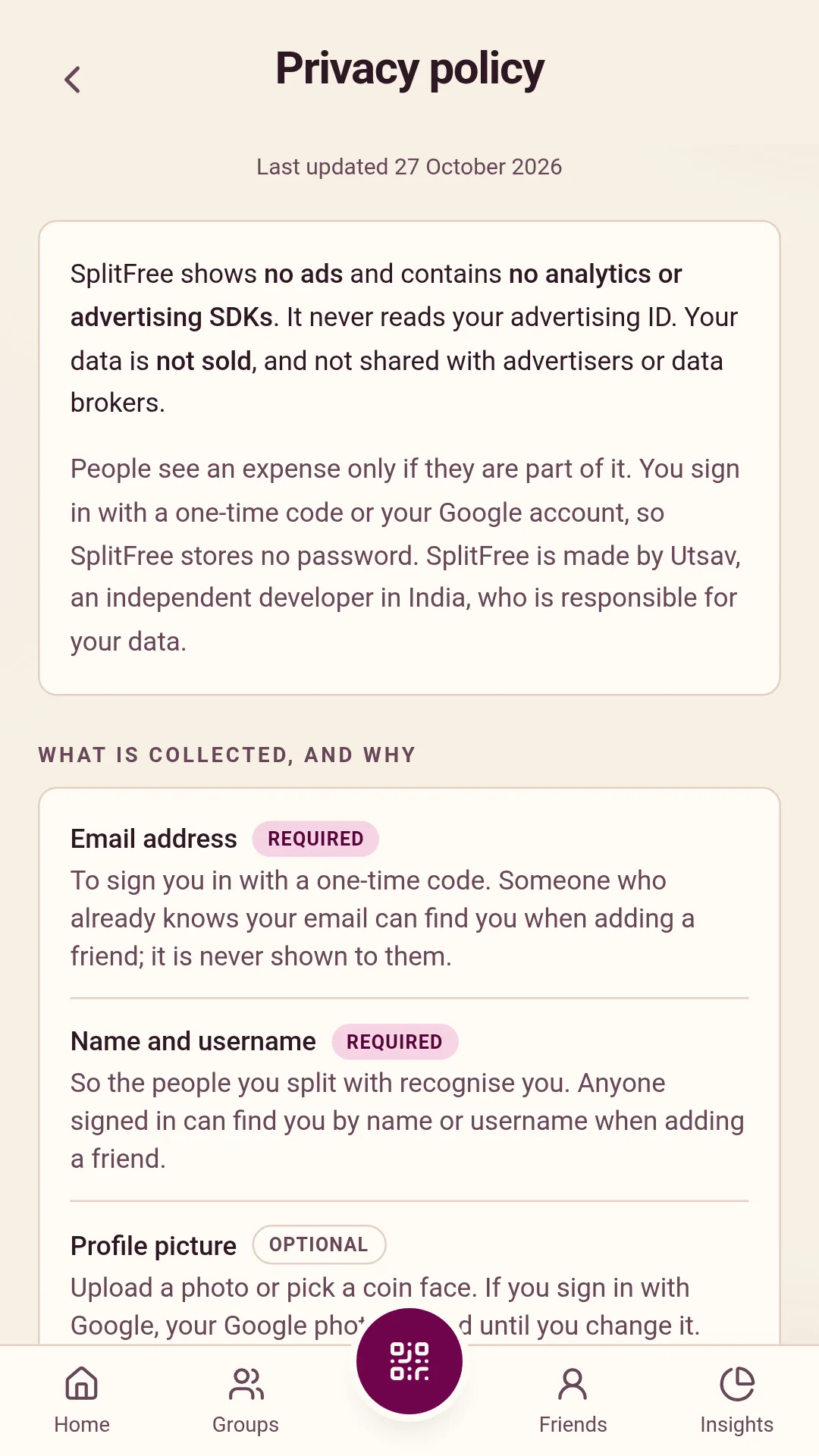
- SplitFree shows no ads and contains no analytics or advertising SDKs. It never reads your advertising ID.
- Your data is not sold, and it is not shared with advertisers or data brokers.
- People see an expense only if they are part of it.
- You sign in with a one-time code sent to your email, or with your Google account. SplitFree stores no password.
- You can delete your account at any time from inside the app.
What SplitFree collects, and why
| What | Why | Needed? |
|---|---|---|
| Email address | To sign you in with a one-time code. Someone who already knows your email can find you when adding a friend; your email is never shown to them. | Yes |
| Name and username | So the people you split with recognise you. Anyone signed in to SplitFree can find you by your name or username when adding a friend. | Yes |
| Profile picture | Shown next to your name. Upload a photo, or pick one of the app's coin faces. If you sign in with Google, your Google photo is used until you change it. | No |
| UPI ID | Shown to the people you split with, so they can pay you back. | No |
| Default currency | To show amounts in your currency. Rupees unless you change it. | Yes |
| Expenses, splits, settlements, recurring charges and comments | The ledger itself: what was spent, who paid, and who owes whom, with the descriptions, amounts, dates, categories and notes you enter. | Yes |
| Payment screenshots | Only if you attach one as proof when you settle up. | No |
| Shop payments | If you scan a shop's UPI QR code in SplitFree: the shop's UPI ID and name, the amount, your note and which UPI app you used. It stays your own record until you split it with someone or keep it. | No |
| Friends, groups, invites and join requests | To connect you with the people you split with. | Yes |
| Activity and reminders | A history of what happened in your groups and friendships, and a log of reminders sent, so nobody is nudged too often. | Yes |
| Celebration GIFs | Only if you add your own: the GIF links and who you chose to show them to. | No |
| Feedback and reports | Messages you send through Help & feedback, and reports you file about another user, with the reason you give. | No |
| Notification token and device details | To deliver reminders and updates if you turn notifications on: a push token, the platform, the version of the phone's built-in browser engine, and a random install ID, for up to three devices. | No |
| Crash reports | When the app hits an error: what went wrong, the app version, the phone model and Android version, and a random account ID. Emails, UPI IDs, names and sign-in tokens are removed before a report leaves the phone. | Automatic |
What stays on your phone
Camera. Used only to scan QR codes: a friend's or a group's SplitFree code, or a shop's UPI QR, including from the Scan & pay widget on your home screen. The camera picture is read on your phone and is never uploaded or stored. If you do not allow the camera, you can pick a QR image from your gallery instead.
Photos you choose. Only the picture you pick is uploaded, made smaller first, as your profile picture or a payment screenshot. SplitFree does not look through your gallery.
A copy of your data for offline use. The app keeps the data it last loaded on your phone, so it opens quickly and still shows your balances without a connection. Signing out wipes it, and it is left out of Android's cloud backups.
Invite links. If you installed SplitFree from a friend's or a group's invite link, the app reads that invite from Google Play once, on first launch, so it can open the request for you.
Never touched. Location, contacts, microphone, SMS, call logs, calendar, health data and your advertising ID. The app does not ask for permission to any of them.
Payments and UPI
SplitFree does not move money. It never sees your bank account, card, balance or UPI PIN. When you settle up, SplitFree opens the UPI app you choose, such as Google Pay, PhonePe or Paytm, and keeps the other person's UPI ID ready to copy. You make the payment in that app, under its own privacy policy. When you pay a shop, the shop's QR code is passed to your UPI app exactly as scanned.
SplitFree does not learn whether a payment went through. It records only what you confirm: the amount, how you paid and, if you attach one, a screenshot.
Who can see what
People you share a friendship or a group with see your name, username, profile picture and UPI ID. In a friendship, both of you see every expense and settlement between you. In a group, members see the group's balances, but each person sees only the individual expenses they are part of.
Anyone signed in to SplitFree can find you by name or username, and see your name, username and picture in the search results, so they can send you a friend request. They see nothing else until you share an expense with them. Scanning your QR code only sends you a request; it gives no access by itself.
When you file a report about another user, the report, with both usernames and the reason you give, is emailed to the developer so it can be looked at. The person you report is not told who reported them.
Notification text can include an amount and a name, for example a payment reminder. If your phone shows notification content on the lock screen, anyone holding the phone can see it. You can change this in Android under Settings, Notifications, Notifications on lock screen.
Services that process data for SplitFree
Your data is handled by these providers on SplitFree's behalf, only for the purpose listed:
| Service | What for | Where |
|---|---|---|
| Supabase | The database, file storage and sign-in. Everything in the first table is stored here. | Sydney, Australia |
| Google Firebase Cloud Messaging | Delivering push notifications, if you turn them on. | Google's servers |
| Google Sign-In | Signing in with Google, if you choose it. Google shares your name, email address and profile photo with SplitFree. | Google's servers |
| Resend | Sending your sign-in code by email, and sending user reports to the developer. | United States |
| Sentry | Crash reports, as described above. | Frankfurt, Germany |
| Google Play | Installing and updating the app, and reading an invite link on first launch. | Google's servers |
| Tenor and Giphy | Only if you add celebration GIFs: the GIF is loaded from their servers when it plays, so they see your phone's internet address, as any website would. | Their servers |
Because these providers are outside India, your data is transferred to and stored in other countries. Each of them is bound by its own terms to protect it.
How long it is kept
Your data is kept for as long as your account exists, and removed when you delete it, as described in the next section. Crash reports are deleted by Sentry after 90 days. The log of reminders sent is cleared out regularly. Routine encrypted backups at Supabase can hold a copy for a few days before they are overwritten.
Deleting your account
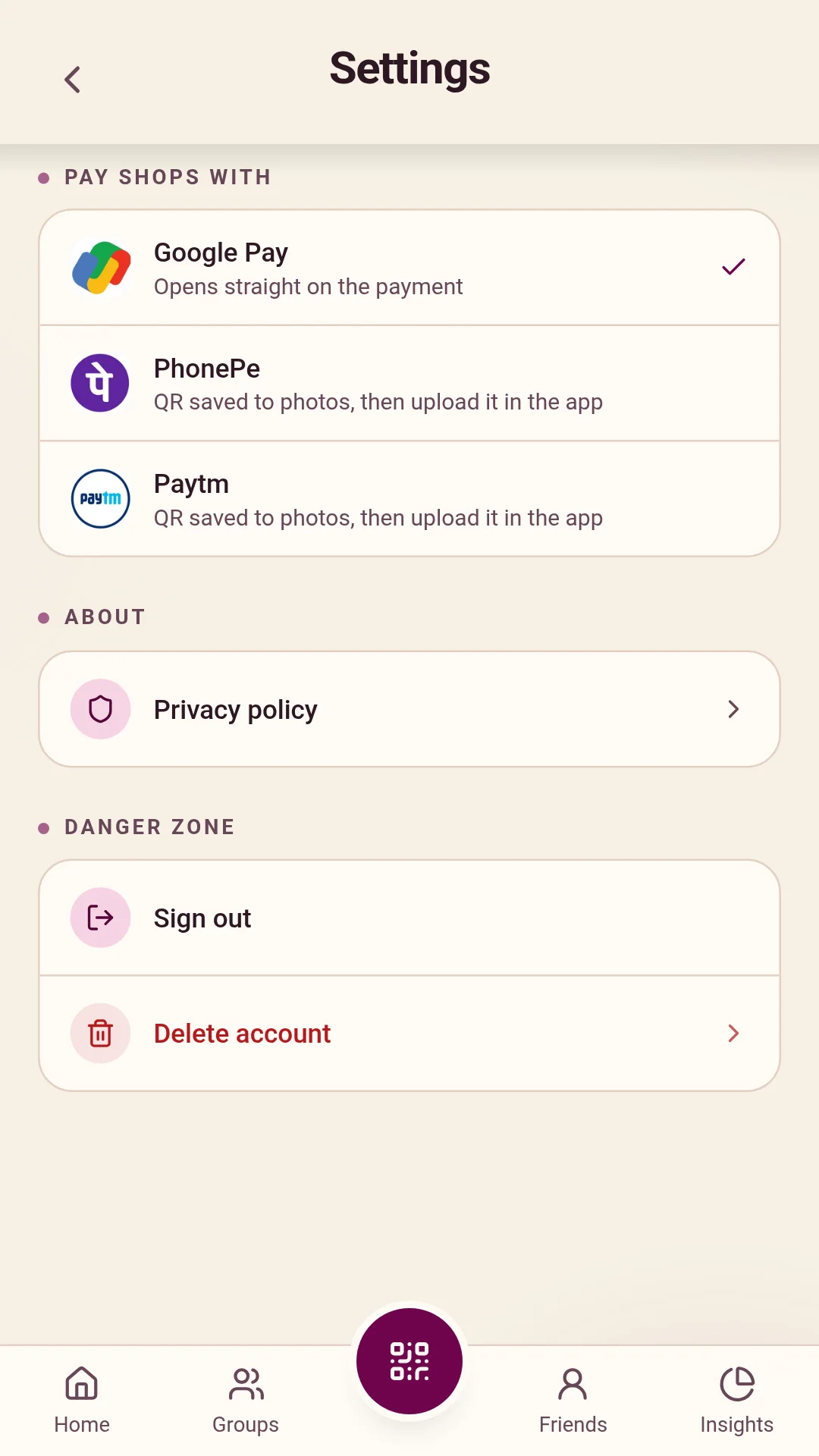
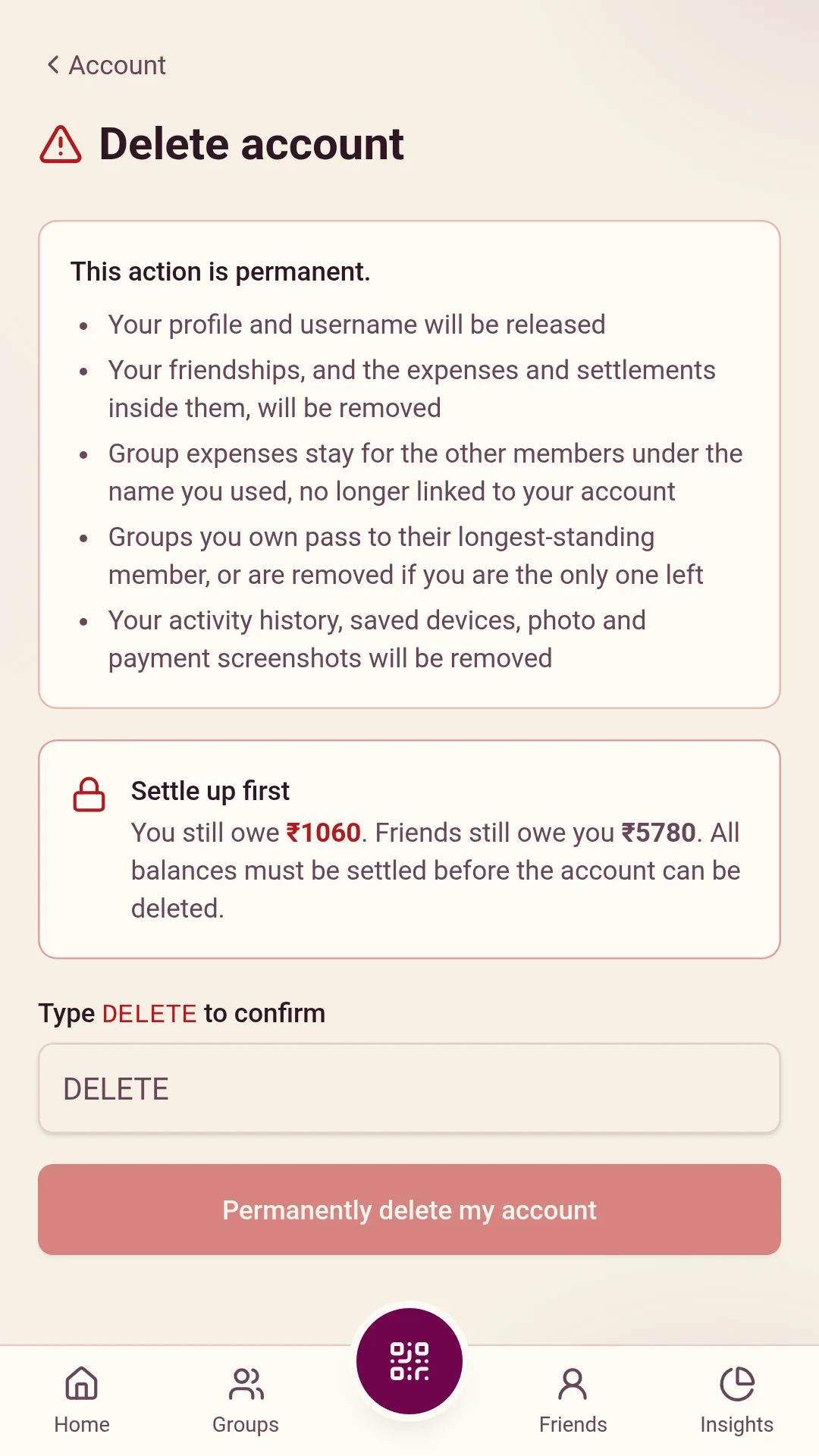
In the app, go to Account, then Settings, then Delete account. Any open balance has to be settled first, so nobody is left with a debt pointing at a deleted person. Deletion happens straight away and cannot be undone; there is no waiting period in which the account can be restored.
What is deleted: your account and sign-in, your profile (name, username, email address, UPI ID and picture), every friendship together with the expenses and settlements inside it, your shop payments, activity history, feedback, comments, reports you filed, invites, celebration GIFs, notification tokens, and the payment screenshots and photo you uploaded.
What is kept, and why: expenses and settlements in a group stay, so that every other member's balance stays correct. They keep showing the display name you used, but they are no longer linked to any account and hold no email address, UPI ID or picture. A group you own passes to its longest-standing member, or is deleted if nobody else is in it. Anonymised group entries stay for as long as the group's other members keep their records.
If you cannot get into the app, email justutsav.05@gmail.com from the address you signed up with, and your account will be deleted for you within 30 days.
Your rights
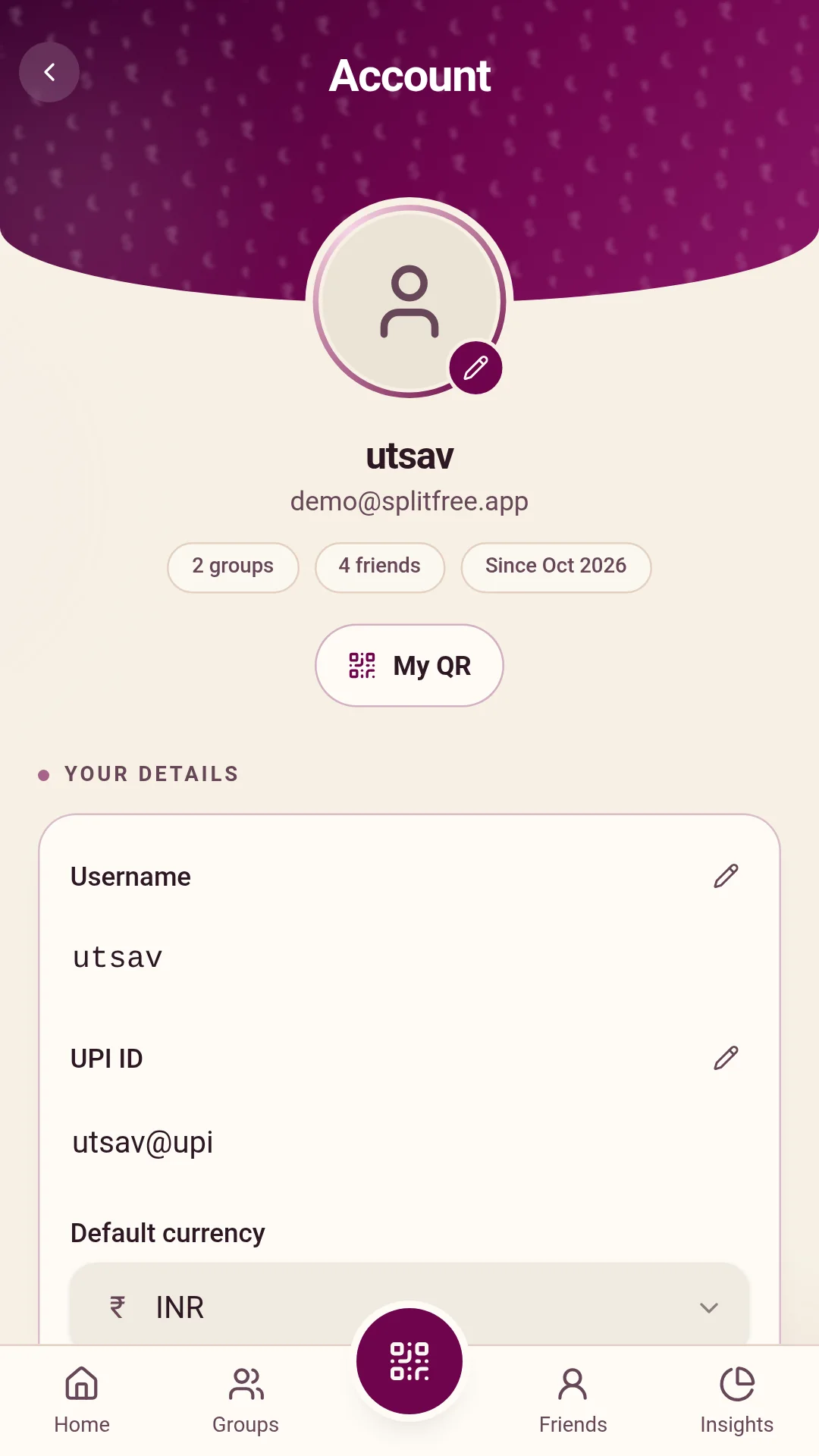
You can see and correct your details in the app at any time, and delete your account as above. Under India's Digital Personal Data Protection Act, 2023, you can also ask for a summary of the personal data SplitFree holds about you and who it has been shared with, ask for it to be corrected or erased, and raise a complaint. Write to the address below; requests are answered within 30 days. If you are not satisfied with the answer, you can complain to the Data Protection Board of India.
Security
All traffic is encrypted. Photos and screenshots are stored privately and shown through links that expire after a few minutes. Every permission check happens on the server, so data you are not part of is never sent to your phone in the first place. There are no passwords to leak: sign-in is a one-time code or your Google account.
Children
SplitFree is not meant for children under 13, and does not knowingly collect their data. If you are under 18, use SplitFree only with a parent's or guardian's permission. If you believe a child has signed up, write to the address below and the account will be removed.
This website
splitfree.justutsav.com sets no cookies, runs no analytics and loads nothing from other companies: its fonts and code are served from the site itself. The hosting provider, Vercel, keeps standard server logs, such as internet addresses and browser types, for security and to keep the site running.
Changes to this policy
If this policy changes in a way that matters, the date at the top changes and the app shows a notice before the change takes effect.
Contact
Questions, a data request or a complaint: justutsav.05@gmail.com. This address also acts as the grievance contact under India's data protection law.